
In this piece
You ask an AI assistant for a discount function. It returns a neat one-liner, explains the formula, and adds a test. It looks finished. But what does a price of 1000 mean: one thousand dollars, or one thousand cents?
That is the part I want to settle before accepting the code. AI can help write an implementation quickly. The application still needs someone to decide what its inputs mean, which behavior is acceptable, and how to check it.
Key concepts
Contract The inputs, outputs, limits, and failure behavior a function promises.
Boundary case An input near an allowed limit or a change in behavior.
Independent check A result derived from the requirement instead of copied from the implementation.
The short version
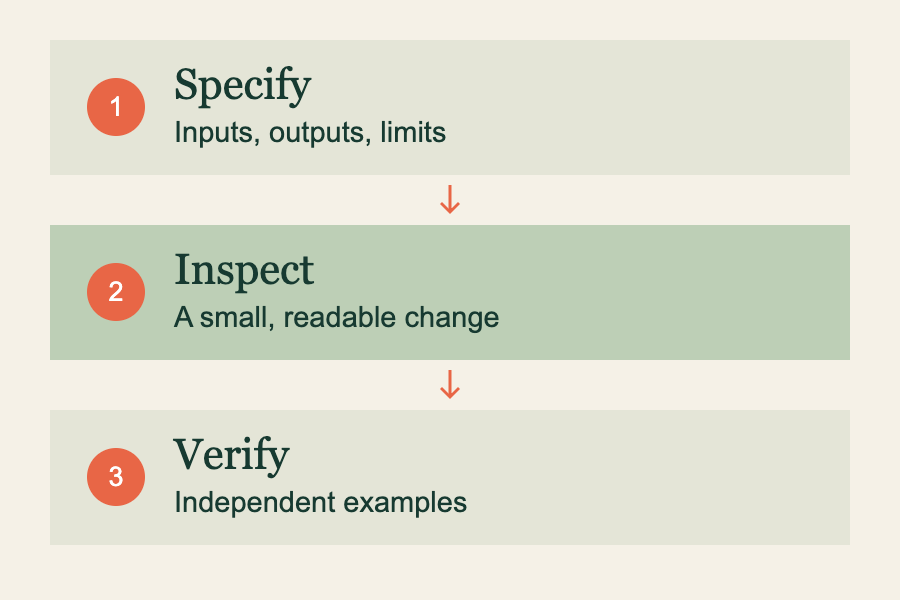
- Give the assistant a small, explicit contract.
- Work out a few expected answers yourself.
- Review the diff and run the checks in the environment that matters.
Write the contract before the prompt
“Write a discount function” asks the assistant to make several product decisions for you. For a small shop example, I would first write down the following rules. These are choices for this example, not universal rules for handling money.
- The amount is an integer number of cents, between 0 and 100,000,000.
- The discount is a whole percentage between 0 and 100.
- The result is an integer number of cents, rounded to the nearest cent; half a cent rounds up.
- Strings, negative values, fractional percentages, and values outside those limits are rejected.
This example assumes a currency represented in cents and discounts applied to one amount. Tax, multiple currencies, invoice-level rounding, and fractional percentage discounts need their own rules. A small helper cannot decide those policies for the whole checkout.
Give it a task you can review
Implement discountedCents(priceCents, percent) in JavaScript.
Use the contract above. Export it from discount.mjs.
Do not add dependencies or change other files.
First list any ambiguous behavior. Then show the function
and a separate set of tests, including invalid inputs.
The useful part of this request is its boundary. We have a named function, explicit behavior, and a small output to inspect. If the response changes unrelated files or introduces a library, there is now a specific reason to question that change.
The same idea scales to repository work. Point to the relevant files, describe what must remain unchanged, and give the assistant the command that exercises the behavior. Avoid giving it secrets or customer data just to make an example realistic.
Calculate some answers without the implementation
| Input | Expected result | Reason |
|---|---|---|
| 1000 cents, 20% | 800 cents | Keep 80% of the amount. |
| 999 cents, 0% | 999 cents | No discount changes nothing. |
| 999 cents, 100% | 0 cents | The entire amount is discounted. |
| 105 cents, 10% | 95 cents | 94.5 rounds up under our stated rule. |
| “1000” as a string | Reject | The contract requires a number. |
An assistant can write a test that repeats the same mistaken assumption as its implementation. Asking it to check its own answer is useful, but it does not make the check independent. I want at least a few expected results whose reasoning I can follow without reading the function.
Read the small implementation carefully
export function discountedCents(priceCents, percent) {
  if (!Number.isInteger(priceCents) ||
      priceCents < 0 || priceCents > 100_000_000) {
    throw new RangeError('Invalid price in cents');
  }
  if (!Number.isInteger(percent) ||
      percent < 0 || percent > 100) {
    throw new RangeError('Invalid whole percentage');
  }
  return Math.round(priceCents * (100 - percent) / 100);
}
There are no hidden conversions here. A string containing digits is still a string and is rejected. The explicit amount limit also keeps the intermediate integer multiplication comfortably within JavaScript’s exact integer range. For this bounded contract, the arithmetic is straightforward.
Notice the rounding choice. We round once, after applying the discount. If the business instead rounds individual line items before totaling them, this helper alone does not describe that process. That is a requirements conversation, even when the code is syntactically perfect.
Run the tests, then inspect the whole change
Save this beside the function and run node discount.test.mjs. It checks the normal result, the extremes, a rounding case, and several rejected inputs.
import assert from 'node:assert/strict';
import { discountedCents } from './discount.mjs';

assert.equal(discountedCents(1000, 20), 800);
assert.equal(discountedCents(999, 0), 999);
assert.equal(discountedCents(999, 100), 0);
assert.equal(discountedCents(105, 10), 95);
assert.equal(discountedCents(0, 20), 0);

for (const args of [
  [-1, 20], [1000, 101], ['1000', 20],
  [1000, 12.5], [NaN, 20], [100_000_001, 0],
]) {
  assert.throws(() => discountedCents(...args), RangeError);
}
console.log('Discount contract checked.');
After that, look at the diff. Did a package file change? Was input validation removed somewhere else? Did the assistant write tests but never run them? “Tests added” and “tests passed” describe different evidence. Ask for the command and its actual result.
I want to be able to explain the accepted change in my own words. If I cannot explain why the rounding case returns 95, a green test is not enough context to maintain the function.
GitHub’s own responsible-use documentation for Copilot Chat says generated code and tests still require review and testing. That limitation is a good reason to keep the review loop small and concrete.
Try it yourself
Choose one AI-written function you understand reasonably well. Hide its tests for a moment. Write three expected outputs and two invalid inputs from the requirement alone. Compare those checks with the existing suite. Which assumption had been left unstated?