In this piece
You click “Sort by price.” The list looks correct. Then you switch back to the original order, and it is still sorted. The sorting function is only a few lines long. Where would you start?
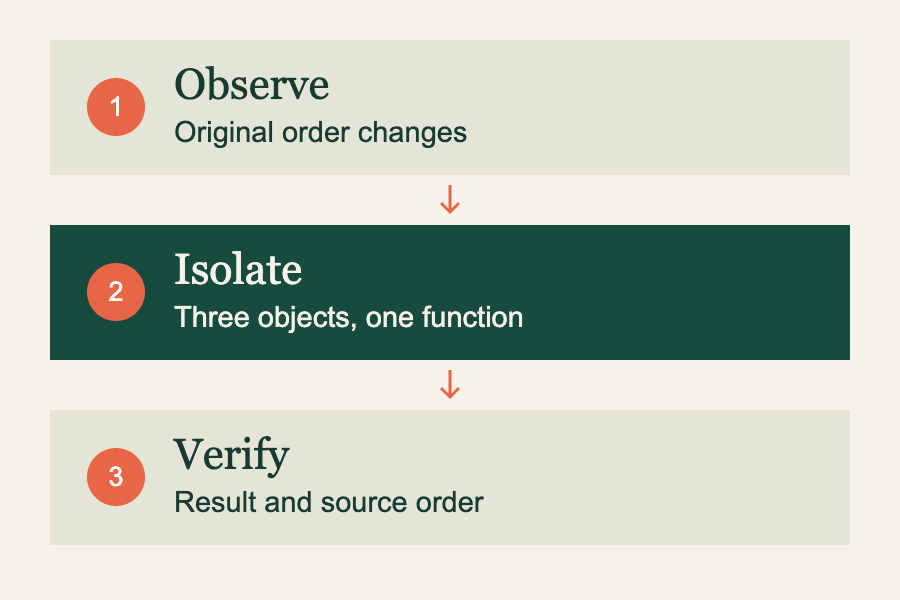
It is tempting to inspect the component, the state library, and the API response at the same time. I would start with a smaller question: can we make the wrong result happen with three objects and one function? Let’s do that first.
Key concepts
Reproduction A set of steps that reliably produces the problem.
Mutation A change to an existing value, such as rearranging an array.
Regression check A check that catches the same mistake if it comes back.
The short version
- Write down the expected result before changing the code.
- Remove unrelated pieces until the failure is easy to see.
- Check both the result and the data that should stay unchanged.
First, describe what should stay true
“Sorting is broken” leaves too much room for guessing. Here is a more useful description: sorting should return the products from cheapest to most expensive, while the original product list keeps its original order. That second half matters. Another part of the interface may still need it.
We already have two things to check: the returned list and the source list. There is no need to open a browser yet. Our example uses valid product objects with numeric prices; input validation is a separate concern.
Make the failure small enough to see
Paste this into a JavaScript console. Read the two outputs before trying to fix anything.
const products = [
  { id: 'notebook', price: 12 },
  { id: 'pen', price: 3 },
  { id: 'bag', price: 28 },
];

function cheapestFirst(items) {
  return items.sort((a, b) => a.price - b.price);
}

const sorted = cheapestFirst(products);
console.log(sorted.map(item => item.id));
// ['pen', 'notebook', 'bag']
console.log(products.map(item => item.id));
// ['pen', 'notebook', 'bag'] — the original changed too
The first output is exactly what we asked for. The second tells us why the interface cannot get back to its starting order. Both variables point to the same array. The original order has already been overwritten.
JavaScript’s sort() rearranges the array it is called on and returns that same array. This is documented behavior, rather than a special case in our application. See the MDN reference for sort().
Change one thing, then run it again
For this function, copying the array before sorting is enough. Save the following as sort-products.mjs.
export function cheapestFirst(items) {
  return [...items].sort((a, b) => a.price - b.price);
}
The spread creates a new array, so sorting it leaves the source order alone. It is a shallow copy: the product objects inside are still shared. Changing result[0].price would also change that product through the original array. We are protecting the order here, not cloning the whole object graph.
If your supported runtimes provide toSorted(), that is another way to return a sorted copy. Check the toSorted() reference against the browsers or runtime you actually support.
A useful fix should come with an explanation you can repeat: the source order changed because sort() mutated the source array. Copying the array gives the sorted view its own order.
Keep a check that would catch the mistake
A test that only checks the sorted output would pass with the broken implementation. The important assertion is the one about the original list. Save this next to the function, then run node sort-products.test.mjs.
import assert from 'node:assert/strict';
import { cheapestFirst } from './sort-products.mjs';

const products = [
  { id: 'notebook', price: 12 },
  { id: 'pen', price: 3 },
  { id: 'bag', price: 28 },
];
const originalIds = products.map(item => item.id);
const result = cheapestFirst(products);

assert.deepEqual(result.map(item => item.id),
  ['pen', 'notebook', 'bag']);
assert.deepEqual(products.map(item => item.id), originalIds);
assert.notStrictEqual(result, products);
assert.deepEqual(cheapestFirst([]), []);
console.log('Sorting and original order both checked.');
To see whether the test earns its place, temporarily remove the spread in the function. The source-order assertion should fail. Put the copy back and it should pass. That gives the check a clear connection to the bug we are trying to prevent.
Bring the explanation back to the interface
Once the small example works, return to the real screen. Try the same sequence that exposed the bug: sort by price, then return to the original view. Confirm that the real code is using the repaired function and that another call is not mutating the source later.
| Observation | What to check next |
|---|---|
| Small example still fails | The explanation or fix needs work. |
| Small example passes; screen fails | Trace the data between the function and the screen. |
| Screen works only after a reload | Check stored state and the actual request/response before blaming a cache. |
This method has a limit: some failures depend on timing, a browser, a database, or a particular device. Keep those ingredients when they are necessary to reproduce the problem. A smaller example is useful only while it still fails in the same way.
Try it yourself
Take one bug you are investigating. Write one sentence for the expected behavior and one for the observed behavior. Remove a dependency, a field, or a UI step. Does the failure still happen? Keep shrinking until every remaining piece has a reason to be there.